
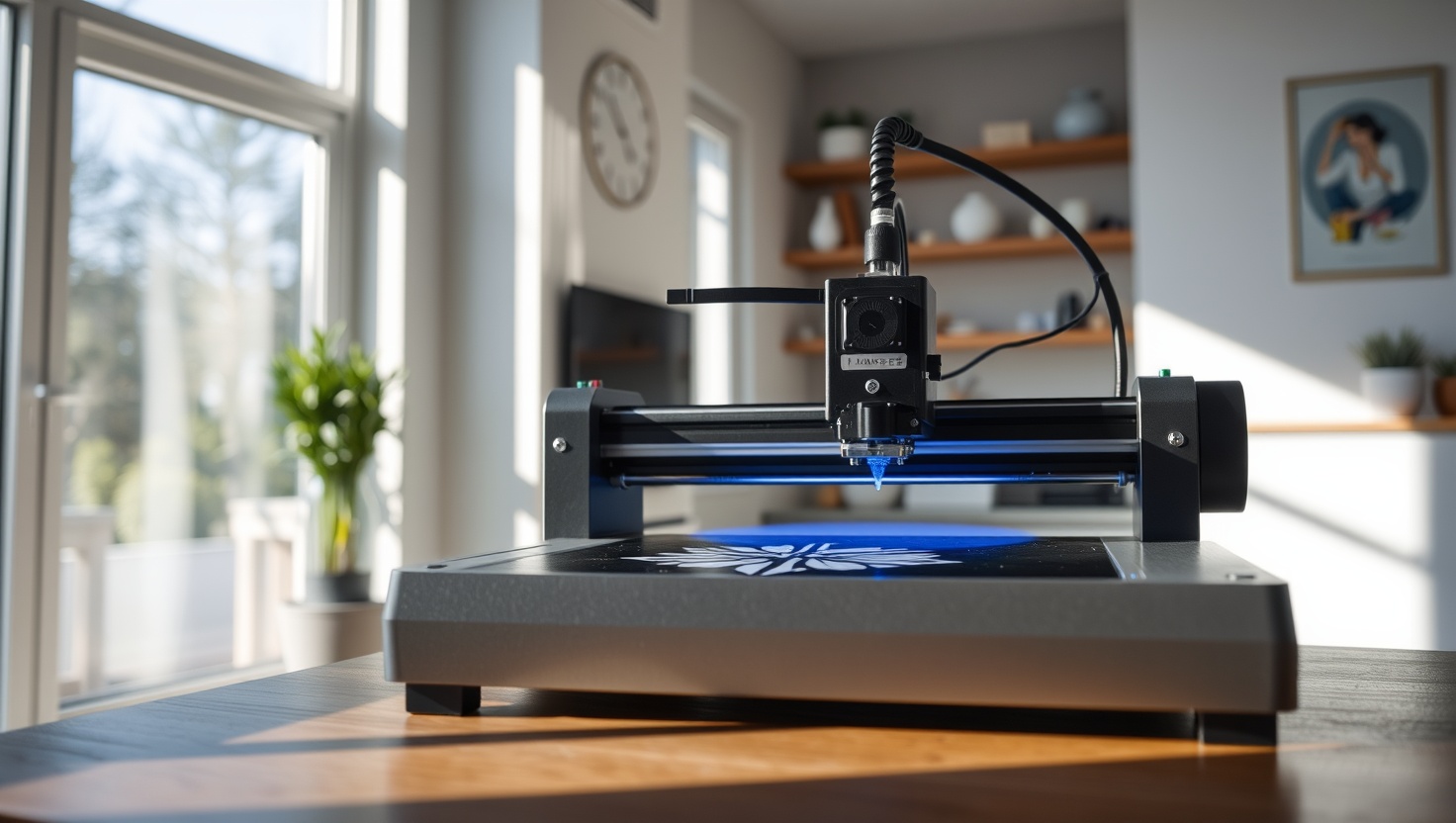
You have a design in your head and you want to make it real, in wood, acrylic, leather, or metal. In 2026, a laser engraver turns that idea into a finished product on your own bench.
xTool P2 — Top Pick
Enclosed for safety, powered by CO2 to cut thick acrylic and wood, and equipped with a camera to place designs precisely, the xTool P2 is the best all-around laser engraver for makers who want to create and sell in 2026.
In a hurry? That's our pick. Want the reasoning and the full comparison? Keep reading.
A laser engraver used to mean a five-figure industrial machine in a workshop you did not have. That has changed. Today you can put a capable diode or desktop CO2 laser on a table in your garage and cut acrylic, engrave hardwood, mark tumblers, and personalize leather goods well enough to sell them. Whether you want a creative hobby or a genuine side income, the barrier to entry has never been lower.
The trap is buying on watts alone. A '20W' diode laser and a '20W' CO2 laser are not the same thing, and the number on the box rarely means what you think it does. What actually matters is the laser type, the real optical power, the work area, whether the frame is enclosed, and the software. Below you get the four machines worth your money right now, plus a plain-English guide to diode versus CO2, what each one can actually cut and engrave, and the safety gear you cannot skip. Lasers are powerful tools, so we will be honest about the risks too.
Key Takeaways
- Laser type matters more than the wattage number: CO2 lasers cut thick wood and acrylic and engrave glass, while diode lasers are cheaper and mark metal, but the specs compare differently.
- For a do-it-all machine that cuts thick material and engraves cleanly, the enclosed xTool P2 CO2 is our top pick.
- Want serious capability without the CO2 price? The xTool D1 Pro diode is the best value and marks metal out of the box.
- Need a big work area for large jobs and higher volume? The OMTech CO2 gives you the room to grow.
- Never run a laser without eye protection, fume extraction or ventilation, and someone watching it: fire risk is real and lasers are never a walk-away tool.
Diode vs CO2: The One Choice That Decides Everything
Before you compare any two machines, pick your laser type, because it changes what the tool can do. A diode laser is compact, affordable, and usually sits in an open frame. It shines at engraving wood, leather, and slate, and it can mark bare metal like stainless steel or anodized aluminum when you use the right settings or a marking spray. What a diode struggles with is cutting thick material and engraving clear glass. A CO2 laser is a different animal. It uses a sealed glass tube and a set of mirrors to deliver far more usable cutting power, so it slices through thick plywood and acrylic, engraves glass and stone, and produces cleaner cuts. The catch is that CO2 machines cost more, are larger, and cannot mark bare metal without extra coatings.
Now the wattage trap. Diode makers quote numbers in confusing ways, so hunt for the real optical output in watts, not a marketing figure that describes electrical input or a bundle of diodes. A diode in the roughly 5W to 10W optical range engraves beautifully and cuts thin wood slowly. A 20W-class diode cuts faster and through thicker stock. CO2 wattage reads differently: even a 40W CO2 tube out-cuts a strong diode on thick acrylic and wood because CO2 light is absorbed far more efficiently by those materials. So do not compare a diode's number to a CO2's number directly. Match the laser type to the materials you actually want to make things from, then compare power within that type.
Work Area, Enclosure, Air Assist, and Software (Plus the Safety You Cannot Skip)
Work area sets the ceiling on your projects. A small bed is fine for coasters, keychains, and jewelry, but if you dream of cutting board games, signs, or large panels, buy the bigger bed now: you cannot add it later. Look at both the flat engraving area and whether the machine has a pass-through slot for feeding long stock. Next, the frame. An enclosed machine keeps the beam and smoke contained, is far safer, and often includes a camera above the bed so you can position a design precisely over your material on screen instead of guessing. Open-frame diode lasers are cheaper and lighter, but they demand more caution and an add-on cover. Air assist matters more than people expect: a jet of air at the nozzle blows smoke and debris out of the cut, which means cleaner edges, faster cutting, and a much lower chance of the material catching fire. Buy a machine with real air assist or add a pump.
On software, LightBurn is the standard most serious users land on. It is powerful, well supported, and works with all four machines here, so factor a license into your budget even if a unit ships with its own app. Speed and repeatability improve as you learn the software, not just as you spend more on hardware. Now the part no honest guide skips: safety. Laser light can permanently damage your eyes, so wear laser-rated glasses matched to your machine's wavelength any time it runs, and never rely on the machine's cover alone. Lasers vaporize material into fumes that are harmful to breathe, so run fume extraction to the outdoors or work with strong ventilation, never in a closed room. Most importantly, a laser is a fire risk every single time it fires: keep a fire extinguisher within reach, keep the bed clean of debris, and never leave the machine running unattended, not for a minute. Respect the tool and it will serve you for years.
Quick Comparison
| Product | Best For | Laser Type | Strength | Enclosure |
|---|---|---|---|---|
| xTool P2 | Overall pick | CO2 (enclosed) | Cuts thick, engraves clean | Fully enclosed |
| xTool D1 Pro | Best value | Diode (open frame) | Metal marking + price | Open (add-on cover) |
| OMTech Laser | Large jobs | CO2 (enclosed) | Big work area | Fully enclosed |
| Atomstack Laser | Entry level | Diode (open frame) | Lowest cost of entry | Open (add-on cover) |
1. xTool P2 — Best Overall (CO2)
xTool P2
The xTool P2 is the machine we hand to anyone serious about making and selling. As an enclosed CO2 laser, it delivers the cutting muscle a diode cannot match: it slices through thick acrylic and plywood, engraves glass and stone, and leaves clean edges that look professional straight off the bed. Because the whole cutting area is enclosed, the beam and most of the smoke stay contained, which makes it both safer to run and easier to route to a fume extractor.
What sets the P2 apart day to day is the camera system above the bed. You place your material anywhere on the honeycomb, see it live on screen, and drop your design exactly where you want it, curved objects and odd shapes included. Add real air assist, a pass-through slot for long stock, and full LightBurn support, and you have a machine that grows with you from first coaster to a full product line. It costs more than a diode, but if you want one laser that does almost everything well, this is it.
Pros
- CO2 power cuts thick acrylic and wood a diode cannot handle
- Fully enclosed frame contains the beam and simplifies fume extraction
- Camera positioning lets you place designs precisely on any material
- Pass-through slot handles long stock for signs and panels
- Works with LightBurn and includes real air assist for clean cuts
Cons
- Costs significantly more than diode machines
- Cannot mark bare metal without a special coating or spray
- Larger and heavier, so it needs a dedicated bench and ventilation route
2. D1 Pro — Best Diode Value
xTool D1 Pro
The xTool D1 Pro is the smart-money pick and the machine most people should start with. As a diode laser it costs a fraction of a CO2 setup, yet it engraves wood, leather, and slate beautifully and, unlike a CO2 laser, it marks bare metal like stainless steel out of the box. That combination makes it a favorite for personalized gifts, tumblers, tools, and knife blades, where metal marking is exactly the trick that sells.
It ships as an open-frame machine, which keeps it light, affordable, and easy to set up, though you will want to add the enclosure and a fume-extraction cover to run it safely and cleanly. Build quality is a step above budget rivals, the higher-power diode options cut thin wood and acrylic at a reasonable pace, and full LightBurn support means you are never locked out of the best software. If you want serious capability without the CO2 price tag, the D1 Pro is the one to beat.
Pros
- Excellent value: a fraction of the cost of a CO2 machine
- Marks bare metal like stainless steel, which CO2 lasers cannot do easily
- Engraves wood, leather, and slate cleanly and reliably
- Solid build quality and easy setup for beginners
- Full LightBurn support and available higher-power diode modules
Cons
- Diode power cannot cut thick acrylic or wood like CO2 can
- Open frame needs an add-on enclosure and cover for safe operation
- Cannot engrave clear glass the way a CO2 laser can
3. OMTech — Best Large CO2
OMTech Laser
When your projects outgrow a desktop bed, the OMTech CO2 gives you room to work. It pairs genuine CO2 cutting power with a larger work area, so you can cut big acrylic signs, board-game boards, and oversized wood panels without stitching multiple passes together. That extra bed size is the whole point: it is the capability you cannot bolt on later, and it is what lets a hobby scale into steady output.
OMTech machines are known as workhorses that reward users who tune them, and they run LightBurn so you get the same powerful software as the pricier brands. You trade some of the plug-and-play polish and refined camera features of the xTool P2 for more raw cutting space per dollar. If your plan involves large formats or higher volume, and you are comfortable dialing the machine in, the OMTech earns its spot on your bench.
Pros
- Large work area for oversized signs, boards, and panels
- Genuine CO2 power cuts thick acrylic and wood cleanly
- Strong cutting space per dollar for the capability
- Fully enclosed frame for contained beam and easier extraction
- LightBurn compatible for full software control
Cons
- Less refined out-of-box experience than premium rivals
- Camera and convenience features lag behind the xTool P2
- Large footprint demands serious bench space and ventilation
4. Atomstack — Best Entry
Atomstack Laser
The Atomstack is the lowest-cost way to find out whether laser work is for you. It is an open-frame diode laser that engraves wood, leather, and slate and cuts thin stock, all at a price that makes the hobby easy to try without a big commitment. For coasters, keychains, ornaments, and simple signs, it does exactly what a beginner needs while you learn the software and dial in your settings.
You get what you pay for in polish and speed: setup takes more patience, the frame is basic, and you will want to add an enclosure, a fume cover, and air assist to run it safely and get clean edges. But the core engraving quality is genuinely good for the money, and it runs LightBurn, so your skills carry straight over if you later upgrade to a diode powerhouse or a CO2 machine. As a first laser to prove the concept, the Atomstack is hard to beat on price.
Pros
- Lowest cost of entry to try laser engraving
- Good engraving quality on wood, leather, and slate for the price
- LightBurn compatible, so your skills transfer to any upgrade
- Lightweight open frame is easy to store and set up
- Great low-risk way to test the hobby before investing more
Cons
- Basic build and slower setup than pricier machines
- Open frame requires add-on enclosure, cover, and air assist for safe use
- Diode power limits it to thin cuts, not thick acrylic or wood
Which Should You Choose?
Pick the xTool P2 if you want one machine that does almost everything
If you plan to cut thick acrylic and wood, engrave glass, and place designs precisely with a camera, the enclosed xTool P2 CO2 is the clearest choice. It contains the beam for safer running, routes easily to fume extraction, and delivers the clean, professional cuts that let you sell your work. It costs more, but it is the machine you grow into rather than out of.
Pick the xTool D1 Pro or Atomstack if you want to start with a diode
Want serious capability at a fraction of the price, plus the ability to mark bare metal? The xTool D1 Pro is the best value and our runner-up overall. Just testing the waters on the tightest budget? The Atomstack Laser gets you engraving wood and leather for the least money. Both are open-frame diodes, so budget for an enclosure, a fume cover, and air assist to run them safely.
Pick the OMTech if you need a big bed for large jobs
Some makers are building signs, board-game boards, and oversized panels from day one. The OMTech CO2 answers that with a large work area and real cutting power, giving you the space that no machine can add later. You trade some plug-and-play polish for room to scale, and that is a smart trade if large formats or higher volume are your goal.
Ready to Turn Your Ideas Into Real Products?
The xTool P2 gives you enclosed CO2 power to cut, engrave, and personalize almost any material, with a camera that makes precise placement effortless. Check current pricing and see why it tops our 2026 list.
Explore Brainstamped's Free ToolsFrequently Asked Questions
For most makers, the xTool P2 is the best laser engraver in 2026. As an enclosed CO2 machine it cuts thick acrylic and wood, engraves glass, and uses a camera to place designs precisely, all while keeping the beam contained. If you want serious capability at a lower price, the xTool D1 Pro diode is the top alternative and even marks bare metal.
Match the laser to your materials. Choose a diode laser if you mainly engrave wood, leather, and slate or need to mark bare metal, and you want to spend less. Choose a CO2 laser if you need to cut thick acrylic and wood or engrave glass and stone. CO2 costs more and is larger, but it delivers far more usable cutting power on those materials.
It can be if you ignore the basics, so treat it seriously. Laser light can permanently damage your eyes, so wear laser-rated glasses matched to your machine's wavelength whenever it runs. The fumes are harmful, so use fume extraction to the outdoors or strong ventilation. And because a laser is always a fire risk, keep an extinguisher nearby and never leave it running unattended, not even for a minute.
LightBurn is the software most serious users settle on, and all four machines here support it, so budget for a license even if a unit ships with its own app. Air assist, a jet of air at the nozzle, is well worth having: it blows smoke out of the cut for cleaner edges, faster cutting, and a much lower chance of the material catching fire.
It depends on the laser. A diode laser like the xTool D1 Pro can mark bare metal such as stainless steel and anodized aluminum using the right settings or a marking spray, which is great for tumblers and tools. A CO2 laser cuts wood and acrylic beautifully but cannot mark bare metal without a special coating. Neither of these desktop machines cuts through solid metal.